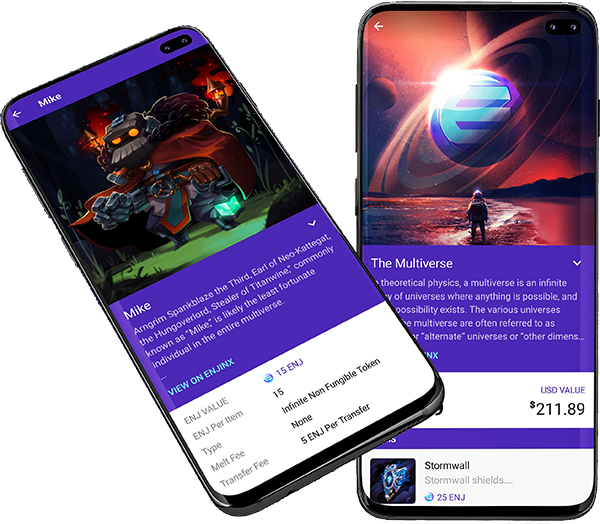
Blockchain Skins
What does this mean? Why is it better?
We have adopted blockchain industry leader Enjin’s platform for creating and securing Digital Assets.
Enjin has developed an easy-to-use smartphone wallet for storing your Digital Assets/Skins.
Items on the blockchain are very secure, and transactions are transparent.
Total Supply/Scarcity is no longer a mystery!
To install and use the Enjin wallet:
- You must first have a smartphone. Go to your smartphone’s app store and search on Enjin. Install it.
- Once installed you can Add a Wallet. For details on the wallet operation please go here:
- Once you’ve added a wallet make sure to Auto Add Tokens from the top right options.
- Press the ENJ coin entry and then choose Receive at the top.
- Press Copy Address and send the 42 character address to your PC via email or some other client like Discord.
- On our website, add your wallet address to your account to be sure items you buy are sent there.
- Once you have completed the steps above you can link your wallet in-game.
To Link your wallet to the AlterVerse game client:
- Go to C:\Program Files (x86)\Steam\steamapps\common\AlterVerse and find alterverse.exe
- Right click alterverse.exe and drag it onto your desktop. Click Create Shortcut.
- Close down Steam completely.
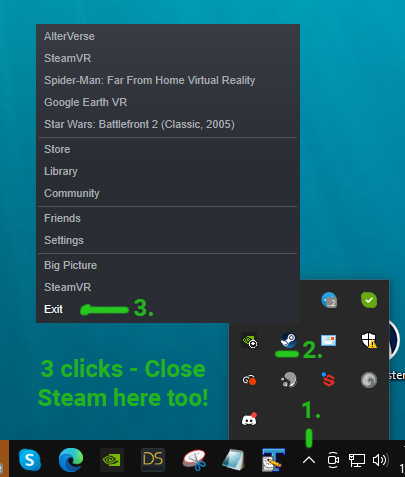
- Now launch AlterVerse from your new desktop shortcut.
- When the first screen comes up you will see a small blue Enjin icon on the bottom left.
- Click the Enjin icon and follow the instructions to link the wallet.
- From here on out you’ll be able to use any of the skins you purchase in our shop in the game!
Congratulations! You’re now an Elite Blockchain Gamer!